

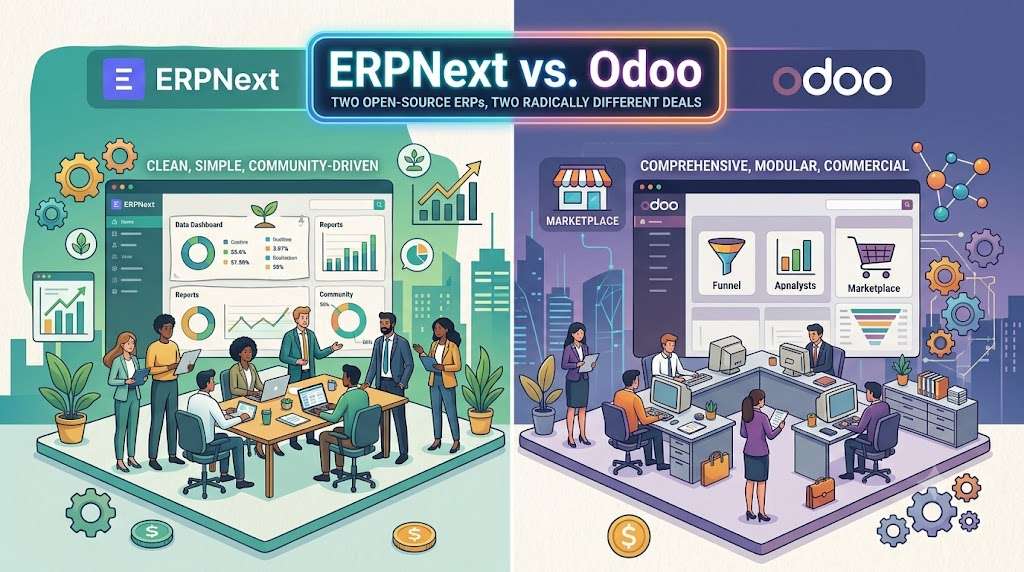

Mention “open-source ERP” in any business software conversation and two names reliably surface: ERPNext and Odoo. Both are built on Python. Both publish their source code. Both claim to give you full control over your business systems.
That’s roughly where the similarity ends.
The choice between them isn’t really a choice between two products. It’s a choice between two philosophies — one that treats the open-source label as a community promise, and one that uses it as a marketing funnel toward a paid, proprietary platform. If you’re evaluating both, the most important thing to understand is what the word “free” actually delivers in each case. And what it doesn’t.
The Licensing Split That Defines Everything
ERPNext is published under the GNU General Public License v3. That means every module — accounting, manufacturing, HR, payroll, CRM, hospital management, education — ships in full, without feature gates. You can download it, install it, and run a complete business operation on it without paying a cent in license fees. Forever. The same codebase the developers use internally is the one you get.
Odoo exists in two editions. The Community edition is LGPL-licensed and functionally a demo skeleton. The Enterprise edition is proprietary, paid software that lives behind a license key. And the Community edition has deliberate gaps that make it incomplete for any serious business.
Here’s a concrete example: the Odoo Community edition does not include a full double-entry accounting engine. It has basic invoicing. But if you want a proper general ledger, bank reconciliation, aged receivables, tax reports, and financial statements that an accountant would accept, you need the Enterprise edition — or a third-party module that may or may not survive the next Odoo update. ERPNext ships a complete, audit-ready accounting module out of the box, for free, including multi-currency, multi-company consolidation, and country-specific tax templates.
This pattern repeats across Odoo. Advanced inventory routes, work centers in manufacturing, payroll processing, signature and PDF reporting — many things that feel like core ERP functionality live behind the Enterprise paywall. The Community edition is functional enough for a small shop doing simple sales and purchases. It falls apart the moment you need real operational depth.
What this means for a growing business: You might start on Odoo Community thinking you’ve saved money, only to hit a wall within six months when you need a feature that requires either an Enterprise subscription or a patchwork of third-party modules. Then the real cost starts to emerge.
The Real Price Tag: Odoo’s Subscription Model vs. ERPNext’s Hosting-Only Cost
Let’s talk numbers, because this is where the comparison gets uncomfortable for Odoo.
Odoo Enterprise is priced per user, per month. As of 2025, the standard rate runs roughly $20 to $30 per user per month depending on the apps activated. For a 20-user manufacturing company, that’s $400 to $600 a month — $4,800 to $7,200 a year — just in license fees. That doesn’t include hosting. If you host on Odoo.sh, their cloud platform, you add infrastructure costs and an additional markup per user. A 20-user Odoo.sh deployment can easily hit $12,000 to $18,000 per year.
ERPNext, being fully free, has no per-user license cost. A 20-user company can run ERPNext on managed hosting — like the service we provide at erpnext.space — for a flat infrastructure fee. No license multiplier. You add your 21st user, your 50th user, your seasonal data-entry temps during month-end, and the hosting bill doesn’t budge. In a five-year horizon, the total cost difference between the two platforms can run into five figures. Not because ERPNext is doing anything magical — just because one platform chose not to meter your growth.
This is not a theoretical argument. It’s the single most important line item in the comparison for most mid-sized businesses. The per-user model works for a five-person sales team. It punishes a 40-person distributor or a 200-employee manufacturer.
Customization: Where the Developer Experience Diverges
Both platforms allow deep customization. Both are written in Python. Both use a metadata-driven approach to define data models and business logic. But the path from idea to working feature feels very different in each.
In ERPNext, you define a new data object through a DocType — essentially a JSON schema that describes fields, validations, permissions, and behaviors. Server-side logic sits in Python controller methods. The framework exposes hooks — validate, on_submit, autoname — that let you inject custom behavior at predictable moments. A developer who understands Python and basic web concepts can build a working custom module in a day. The database migration happens automatically when you run bench migrate. There’s no compilation step, no arcane XML view architecture to battle.
Odoo’s customization model is more fragmented. Business objects are models defined in Python classes that inherit from Odoo’s ORM, which is powerful but abstract. User interfaces are defined in XML view files using a specific architecture (form, tree, kanban, search views). Access rights are another XML layer. Actions, menus, and workflows are yet more XML records. A simple change — adding a field, making it visible on a form, and protecting it with a security rule — can involve editing four or five files across multiple directories. The learning curve is steep, and the debugging cycle often involves restarting the Odoo server and clearing caches, sometimes fighting with compiled view templates.
For non-developers, Odoo Enterprise offers Odoo Studio, a drag-and-drop customization tool that lets you add fields, modify views, and build simple automations without touching code. It’s convenient, but it comes with a catch: customizations built in Studio are stored as database records, not version-controllable files. They’re difficult to export, impossible to properly test in a staging environment, and they create a hard dependency on the Odoo Enterprise platform. If you ever decide to leave Odoo, those customizations won’t travel with you.
ERPNext has no equivalent visual builder. Customizations require code. But that code lives in your version control system, can be tested in a staging bench, and remains fully yours if you change hosting providers or add developers to your team. For businesses serious about long-term ownership of their system, this is the healthier trade-off.
Out-of-the-Box Completeness: A Feature-by-Feature Reality Check
ERPNext ships with roughly 30+ fully functional modules. Here’s what you get immediately after a fresh install, without touching a single setting beyond company creation:
- Double-entry accounting with a full chart of accounts, ledgers, trial balance, balance sheet, P&L
- Sales cycle from quotation to delivery note to sales invoice, with pricing rules and discount schemes
- Purchase cycle from material request to purchase receipt and purchase invoice
- Inventory management with stock entry types, serial/batch tracking, multiple warehouses, stock reconciliation
- Manufacturing with bill of materials, work orders, production planning, subcontracting, capacity planning
- HR and payroll with employee lifecycle, leave management, attendance, salary structure, and payslip generation
- CRM with lead, opportunity, and customer pipeline management
- Help desk with ticket tracking and service level agreements
- And several vertical modules — healthcare, education, agriculture, non-profit — that Odoo doesn’t ship at all in any edition
Odoo Community covers a fraction of this. You get basic sales, purchases, inventory, and CRM. No accounting. No payroll. No manufacturing beyond a bare-bones work order concept. No HR beyond an employee directory. To approach ERPNext’s default feature set, you must be on Odoo Enterprise — and even then, some modules require additional per-app fees.
A company evaluating both should do a feature inventory before anything else. List the operations you need. Tick off what each platform provides in its free or open-source offering. The gap will be immediately visible.
User Interface and Daily Usability
Odoo’s interface is, without question, the more polished of the two. It’s modern, colourful, well-spaced, and visually consistent. The dashboard views are appealing. The navigation feels responsive. For a team transitioning from spreadsheets, Odoo’s interface is less intimidating at first glance.
ERPNext’s interface is functional, dense, and more utilitarian. The desk view packs a lot of information into a single screen — list views with quick filters, sidebars with linked documents, dashboards with customizable charts. It rewards familiarity and keyboard shortcuts. New users often find it overwhelming, but experienced operators — warehouse staff, accountants, procurement officers — tend to appreciate the speed and the amount of information accessible without clicking through multiple screens.
Neither interface is “bad.” They cater to different working styles. Odoo optimizes for visual clarity and ease of onboarding. ERPNext optimizes for operational throughput once users are trained. The more a team uses the system for hours each day, the more the ERPNext approach tends to win out. For very casual users who only log in to approve something once a week, Odoo’s cleaner first impression carries weight.
It’s worth noting that Frappe, the team behind ERPNext, has been actively building a new UI framework called Frappe UI that modernizes the interface significantly. The gap in visual polish is shrinking.
The Ecosystem: Marketplace vs. Community
Odoo’s app store is enormous. Thousands of third-party modules cover everything from shipping integration to industry-specific workflows. In theory, there’s an app for almost anything. In practice, the marketplace is a wild west. Module quality varies wildly. Compatibility between modules and across Odoo versions is a constant headache. A module that works on Odoo 16 may be abandoned by its developer by Odoo 17. Support from module vendors ranges from responsive to non-existent. And many modules are designed primarily to push you toward a paid version with basic functionality locked behind an “upgrade.”
ERPNext’s ecosystem is smaller. The Frappe community maintains a repository of apps, most of which are free and open-source. The quality is generally higher because the community is more tightly knit and the apps tend to be maintained by people who actually use them. But the selection is narrower. If you need a highly specific integration — with a niche logistics carrier, say — you’re less likely to find a ready-made ERPNext app than an Odoo module. You may need to build it. On the other hand, building it in ERPNext is usually faster and more straightforward, so the net effort often balances out.
Updates, Upgrades, and Long-Term Stability
Both platforms release major versions annually and require migration steps between versions.
ERPNext’s upgrade process runs through the bench command-line tool. It handles the migration scripts, data conversion, and dependency updates in a predictable sequence. Failures are usually traceable to custom apps that haven’t been updated for the new version. A staging environment catches these issues before they hit production. A competent administrator or a managed host handles the process without drama.
Odoo’s upgrade process depends heavily on the edition. Community users must handle migrations manually using OpenUpgrade scripts, which have a variable track record of completeness. Enterprise users on Odoo.sh get a migration service, but it’s opaque — you submit your database and receive a migrated version back, with limited visibility into what broke and why. Custom modules often need significant rewrites to survive a major version jump, because Odoo’s internal APIs change substantially between releases.
The long-term stability of customizations is easier to guarantee in ERPNext because the framework explicitly maintains backward compatibility for DocType-based logic. A custom script written for ERPNext version 13 has a reasonable chance of running unchanged on version 15. The same cannot be said for Odoo.
The Hosting Question
Odoo offers Odoo.sh, a Platform-as-a-Service that handles deployment, testing, and monitoring. It’s well-integrated but expensive, and it locks you into the Odoo infrastructure. Self-hosting Odoo Community or Enterprise is possible but requires significant Linux, PostgreSQL, and Python environment management expertise.
ERPNext can be self-hosted on any Linux server, on-premise or in the cloud, using the simple bench deployment tool. For businesses that don’t want to manage infrastructure, specialized managed hosting providers like erpnext.space offer dedicated environments with automated backups, monitoring, and hands-on migration support. Because there’s no license key to worry about, you can switch between self-hosting and managed hosting freely as your needs evolve. There’s no platform lock-in.
The Decision Matrix
| Criterion | ERPNext | Odoo |
|---|---|---|
| Full ERP features without payment | Yes, entire suite is free and open-source | No, core features locked behind Enterprise subscription |
| License cost for 20 users | $0 | $4,800 – $7,200/year for Enterprise, plus hosting |
| Total 5-year cost (hosted) | Flat infrastructure fee, no user multiplier | Per-user fees that scale with headcount |
| Customization model | Python + JSON DocTypes, predictable hooks, code you own | Python + XML views, Odoo Studio available (paid, lock-in risk) |
| Upgrade complexity | Managed by bench CLI, transparent migration scripts | Odoo.sh handled, self-host requires OpenUpgrade; custom modules break often |
| Interface design | Dense, functional, improving with Frappe UI | Polished, modern, visually appealing |
| Ecosystem breadth | Smaller, high-quality open-source apps | Large marketplace, variable quality, many paid modules |
| True ownership | Complete. Code, data, freedom to move between hosts | Contingent on subscription. Enterprise features vanish if you stop paying |
| Best for | Businesses that need a full ERP without per-user tax, value ownership, and have or can hire Python developers | Small teams that need a slick CRM/sales tool and can tolerate the subscription model, or large enterprises already committed to Odoo Enterprise |
Where Each Platform Wins
Odoo makes sense when the user count is very small and the required feature scope is narrow — think a 5-person sales company that just needs an improved CRM, invoicing, and website integration. The polished interface reduces training overhead, and the per-user cost is manageable at that scale. The Odoo marketplace also provides more out-of-the-box connectors for European and American ecosystems.
ERPNext wins when you have real operational complexity — a manufacturing floor, a multi-step supply chain, a proper accounting close, payroll to run — and headcount that will grow over time. The absence of a per-user tax alone saves thousands annually as you scale. The full stack of modules means you won’t hit a feature ceiling six months in and face the choice between rewriting or paying up. And the licensing means you genuinely own your system: no license keys, no feature flags that disappear when your subscription lapses, no forced relationship with any particular vendor.
We run managed ERPNext hosting at erpnext.space. If you’re comparing ERPNext and Odoo and want to talk through the trade-offs for your specific situation, we’re happy to have that conversation — no pitch, no pressure, just an honest technical discussion from people who work with these systems every day.