


There is a moment a lot of business owners hit somewhere between twenty and fifty employees. It usually arrives quietly, on a Friday afternoon, when someone asks a question that should be easy to answer.
“What was our profit margin on product line X last quarter?”
And suddenly three people are pulling data from QuickBooks, two people are exporting inventory spreadsheets, someone is checking sales records in a CRM that doesn’t talk to anything else, and the answer that should have taken five minutes consumes the rest of the day. The number they land on might be right. It might not. Nobody feels confident enough to bet on it.
That moment is your accounting software telling you it has reached its limit.
Not that it stopped working. QuickBooks and Xero and FreshBooks are excellent at what they do. They track money coming in and money going out. They produce financial statements. They keep you compliant at tax time. The problem is not the software. The problem is that your business now has operational complexity that accounting software was never designed to handle. And somewhere in the back of your mind, you know you need something more.
That “something more” is an ERP. But the gap between “I think I need an ERP” and “I understand what that means and how to get there” is wide and full of jargon. This post is about closing that gap.
Accounting Software Does One Thing Well
Let’s be fair about what accounting software does. It records financial transactions. Money comes in from customers, money goes out to suppliers, the general ledger tracks it all, and at the end of the month you get a profit and loss statement and a balance sheet. For a solo operation or a very small team, that covers most of what you need.
The architecture is straightforward. Invoices are independent records. Payments are independent records. They link together through the ledger, but the system doesn’t have an opinion about whether an invoice should exist before a delivery happens, or whether inventory levels should decrease when something ships. Those connections exist in the physical world. In the software, they are disconnected dots that a human being has to connect manually.
For a while, that works. Then the business grows.
The Signs You’ve Outgrown Your Accounting Software
None of these signs announce themselves dramatically. They accumulate.
Inventory is managed somewhere else. You have a spreadsheet, or a separate inventory app, or a warehouse manager with a good memory. Every month, someone manually updates the inventory value in the accounting system. The two systems drift apart during the month. Reconciliation is a ritual of finding and fixing discrepancies. Sometimes the discrepancy is a data entry error. Sometimes it means stock actually went missing and nobody noticed for three weeks.
Sales and accounting live in different worlds. The sales team uses a CRM or a shared spreadsheet to track deals. When a deal closes, someone tells accounting to create an invoice. The invoice gets created with whatever information made it through the handoff. Sometimes the pricing is wrong. Sometimes the customer’s billing address is outdated because the CRM had the new one but accounting didn’t. The customer receives an incorrect invoice and emails about it, and now two departments are trying to figure out whose fault it was.
Purchasing decisions happen on gut feel. The production manager knows when to order more raw materials because they’ve been doing the job for years and they can see the shelf getting empty. If they’re sick that week, nobody else knows to place the order. There is no automated link between what sales has committed to deliver next month and what purchasing needs to bring in this week.
Reporting requires assembly. Month-end reporting is a multi-day process. Export data from the accounting system. Export data from the inventory system. Export data from the CRM. Combine in Excel. Clean duplicates. Fix formatting. Apply formulas. Hope nothing breaks. By the time the report is ready, it’s already two weeks old.
Approval processes are email or WhatsApp. A purchase request goes out in an email thread. Someone approves it by replying “ok.” Two weeks later, an invoice arrives and nobody remembers who approved the purchase or whether it was within budget. The paper trail is a collection of fragmented messages that would not hold up to an audit.
Compliance and tax reporting involve manual calculations. Your accounting software handles basic tax, but only on the financial transactions you’ve entered. If you also need to track inventory movement for VAT purposes, or report on employee expenses by cost center, or generate country-specific tax filings that pull from multiple data sources, you are doing that work outside the system.
If two or more of these descriptions sound familiar, the problem is not your accounting software. The problem is that your business has outgrown the category of “accounting software” entirely. You need a system that understands that a sale affects inventory, that a shipment triggers an invoice, that a purchase order commits future cash, that an employee’s attendance record determines their salary. You need operations and finance in one place.
That system is an ERP.
What an ERP Actually Adds to Accounting
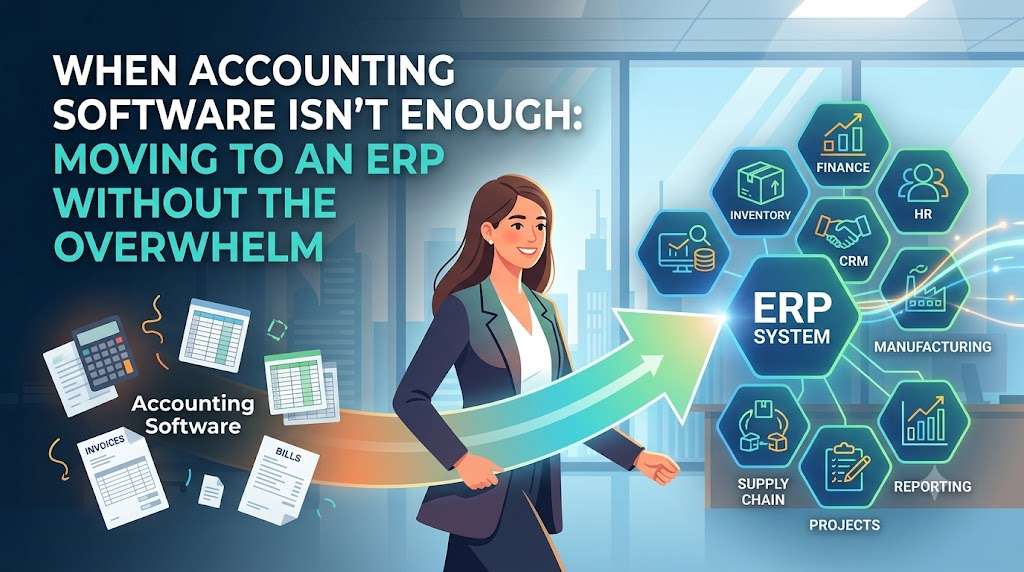
The simplest way to understand the difference: accounting software records what happened to your money. An ERP records what happened to your money, your inventory, your people, your production, your purchases, and your customers, and it understands how those things affect each other.
In an ERP, when a sales order is confirmed, the system checks inventory availability. If stock exists, it reserves the quantity. When the delivery goes out, inventory decreases, the cost of goods sold is calculated, the invoice is generated from the same data, and the accounting entry is created automatically. Nobody re-enters anything. The general ledger reflects reality because the operational transaction created the financial entry directly.
A purchase order follows the same logic. Someone requests materials. The request routes to a manager for approval inside the system, not over WhatsApp. The purchase order is issued to the supplier. When goods arrive, the warehouse records the receipt, inventory increases, and the accounting system knows a liability exists before the supplier even sends the invoice. When the invoice arrives, it matches against the received quantity and the purchase order price. Discrepancies are flagged immediately.
Manufacturing takes it further. A bill of materials defines what goes into a finished product. When a work order is created, the system knows how much raw material to consume and how much finished goods to produce. Labor hours can be tracked against the work order. The actual cost of production is calculated from real data, not estimated. That cost flows into inventory valuation and eventually into the profit and loss statement when the goods are sold.
This is not just automation for its own sake. It is the elimination of data gaps. Every piece of information exists once, in one place, and everyone sees the same version. When the operations manager asks “what is our inventory value right now,” the number matches what accounting shows because both are pulling from the same database. When the salesperson asks “can we deliver this order by Tuesday,” the answer is based on actual stock levels and production capacity, not optimism.
The “Free” Problem and What It Actually Costs
The Google Trends data that prompted this post shows that “free accounting software” and “accounting software free” are heavily searched terms, each up 50% year over year. People want free tools. That’s understandable. Nobody wants to add another subscription.
But free accounting software, or even cheap paid plans, have a hidden cost that grows with your business. The cost is not the monthly fee. It is the labor required to bridge the gaps the software leaves open.
Picture a company running free or low-cost accounting software alongside spreadsheets for inventory, a separate CRM for sales, and email for approvals. The accounting software might cost nothing. The spreadsheet is free. Email is free. On paper, the software budget is near zero.
Now count the labor. Someone spends half a day each week updating the inventory spreadsheet. Someone else spends a few hours each month reconciling the spreadsheet against the accounting system. When a customer asks about an order status, someone checks three different places and calls the warehouse to confirm. When month-end closes, the finance person works late to pull everything together. When the annual audit comes, the auditor asks for documentation and the company spends two weeks hunting down emails and reconstructing approval chains.
That labor is not free. It is just invisible on the software budget line. If you add up the hours and multiply by a reasonable hourly rate, the monthly cost of “free” software often exceeds the cost of a proper ERP by a significant margin. And the ERP delivers information the patchwork of free tools cannot: real-time inventory, integrated financials, reliable audit trails, and reports that require no assembly.
The search for free accounting software is often a search by someone who hasn’t yet calculated the full cost of staying small.
When It Makes Sense to Stay With Accounting Software
To be clear, not every business needs an ERP. Some companies stay within the sweet spot of accounting software indefinitely.
If you are a service business with no inventory, a handful of employees, and simple billing, QuickBooks or Xero will serve you well. Your transactions are straightforward. You invoice for time or projects. You pay suppliers. You run payroll. There is nothing operational that needs to connect to finance because your operations are just people doing work.
If you are a very small product business with manageable inventory that you can count by looking at the shelf, and you process maybe twenty orders a month, accounting software plus a simple spreadsheet is a reasonable choice. The manual work is proportional to the business size. It does not consume anyone’s entire week.
If you are a solo operator or a partnership with no plans to grow headcount significantly, the complexity an ERP introduces is probably not justified. The learning curve is real. The setup effort is real. If the current system is not causing pain, do not create pain in the name of optimization.
The decision to move to an ERP should be driven by friction. When the friction of manual processes, disconnected data, and unreliable reporting exceeds the friction of learning a new system, it is time. Not before.
Open Source ERP and the End of the Six-Figure Implementation
One reason businesses delay the move from accounting software to ERP is cost. The traditional ERP market is dominated by names like SAP, Oracle, and Microsoft Dynamics, which are associated with six-figure license fees and year-long implementations. For a fifty-person company, that is not realistic.
The open source ERP movement changed this math. ERPNext, the system we work with, has no license fee. The software is free and open source under the GPL license. The same modules that a large manufacturer uses are available to a fifteen-person distribution company at zero software cost.
The investment shifts from license fees to implementation and hosting. You pay for the server infrastructure, the setup and configuration, the data migration, the training. These costs are real but they are measured in thousands, not hundreds of thousands. And they are one-time or ongoing operational costs, not per-user monthly fees that scale with headcount.
For a business outgrowing accounting software, this changes the decision from “can we afford an ERP” to “can we afford not to have one.” When the software itself is free, the comparison is between the cost of implementation and the cost of continuing to operate with disconnected tools. That comparison usually favors the ERP once the business passes a certain size.
What the Transition Actually Looks Like
Moving from accounting software to an ERP is a project. Anyone who tells you it is effortless is lying. But it is not the multi-year nightmare that enterprise ERP horror stories describe.
A typical transition for a small to mid-size business follows this shape:
Assessment. Map your current processes. Not what you wish they were, but what actually happens. Who enters what, where, when. Where does data get duplicated. Which reports do you genuinely use and which ones do you produce because someone asked for them once in 2019 and now it’s tradition.
Data cleanup. Your accounting software has duplicate customers, inactive vendors you haven’t used in three years, items with no cost data, and transactions that don’t balance. Clean this before migration. Moving bad data into a new system does not make it good data.
Configuration. Set up the ERP to match your business structure. Chart of accounts, departments, warehouses, item groups, tax templates. This is the setup work that determines whether the system feels like it fits or feels like you’re fighting it.
Migration. Import your cleaned data. Customers, suppliers, items, opening balances. Validate everything. Run parallel for at least one accounting period where you operate both the old and new systems and compare results.
Training. Teach people how to do their actual jobs in the new system. Not a generic overview. Warehouse staff learn receiving, picking, and stock transfers. Sales staff learn quotations, orders, and customer lookups. Finance learns the general ledger, bank reconciliation, and reports.
Go-live. Turn off transactions in the old system. Make it read-only for historical reference. Start processing everything in the new system. The first month will be slower as people adjust. By month three, most teams are faster than they were before.
The whole process for a company under a hundred employees typically takes two to four months. Not years. Not millions of dollars. A focused project with the right support.
The Integration You Did Not Know You Needed
One benefit of moving to an ERP that does not get discussed enough: it consolidates your vendor relationships.
Right now, you might have an accounting software vendor, a separate inventory software vendor, a CRM vendor, a payroll provider, and a payment processor. Each has their own support team, their own update schedule, their own pricing changes, their own terms of service. When something breaks at the intersection of two systems, each vendor blames the other. You are stuck in the middle, translating between support teams, while your business process sits broken.
An ERP replaces several of those relationships with one. Not all of them. You will still have a payment processor and possibly a payroll filing service for country-specific tax compliance. But the core operational software stack collapses into a single system. When something goes wrong, you have one place to look. When updates happen, they happen across the whole system at once, with no integration points to break.
This is an operational risk reduction that is hard to quantify but easy to feel. Fewer vendors. Fewer integration points. Fewer places where data can fall through a crack.
What to Look for in an ERP When You’re Coming From Accounting Software
If you are evaluating ERPs, coming from an accounting background, here is what matters.
The accounting must feel familiar. You should recognize the general ledger, the chart of accounts, the journal entry screen, the trial balance. If the accounting module feels alien, your finance team will resist the system. ERPNext’s accounting module follows standard double-entry principles. An accountant can look at the general ledger report and understand it immediately.
Inventory and accounting must be genuinely integrated, not just “connected.” Some systems have separate accounting and inventory modules with a sync process between them. That is just your current problem with extra steps. Look for a system where an inventory movement and its accounting entry are the same transaction, not two transactions that talk to each other.
It should not punish you for growing. Watch out for per-user pricing. A system that costs $50 per user per month is affordable at ten users. At fifty users, it is $2,500 a month, $30,000 a year, forever. Open source ERPs like ERPNext do not charge per-user license fees. Your hosting cost does not scale linearly with headcount. Adding your twenty-fifth employee does not increase your monthly bill.
Customization should be possible without breaking upgrades. You will need custom fields, custom reports, maybe custom workflows. Make sure the ERP supports this in a way that survives version upgrades. ERPNext uses a metadata-driven architecture where custom fields and custom doctypes sit in a layer above the core code. They do not get overwritten during updates.
You should own your data absolutely. If you decide to change hosting providers, you should be able to take your database and your file attachments and move them. If the software vendor changes direction or gets acquired, your system should keep working. Proprietary cloud ERPs often make data export difficult or incomplete. Open source ERPs store your data in standard formats on infrastructure you control.
The Real Question Is Not “Should We Switch”
If you are reading this and recognizing your business in the descriptions of disconnected systems, late-night spreadsheet reconciliation, and questions that take a day to answer, the question is not whether to switch. It is when and how.
The “when” is when the pain of the current state exceeds the pain of change. For most businesses, that point arrives somewhere between twenty and fifty employees, or when inventory becomes complex enough that you can no longer hold it in someone’s head.
The “how” is with a plan, a clean set of data, and support from people who have done it before. Not alone. Not rushed. Not without testing.
The accounting software that got you here served its purpose. It kept you compliant, it tracked your money, it produced the reports you needed when the business was smaller. It is not failing you. You are outgrowing it. That is a good problem to have.
We help businesses move from accounting software to ERPNext at erpnext.space. If you are trying to figure out whether the timing is right, reach out. We will give you an honest take, even if the answer is “not yet.” No cost for the conversation. No pressure to commit.